
Personal Note, april 2026
Card is again up-to-date with latest Home Assistant (2026.4.4), Lit v3 (bundled) and NPM modules, browser detection, and got some extra features like the new progressPath graph, which is not yet fully documented...


Stable and Latest available versions where the latest can be a pre-release (DEV) version are as follows:





 The Swiss Army Knife Custom Card for Home Assistant
The custom Swiss Army Knife card for Home Assistant allows you to create your own visualization using 17 basic, advanced and Home Assistant specific SVG-based tools and CSS styling and animation options this card provides.
It is a card with lots of possibilities, fully YAML based, and requires the user to design a card! What you can make is only limited by the 17 provided tools and your own imagination.
The 3rd Release Candidate will have support for layout templates, which makes using predefined cards much easier. The 30 functional card examples will be made available as layout templates for easy use and integration.
Check https://swiss-army-knife-card-manual.amoebelabs.com/ for the documentation!
And check https://material3-themes-manual.amoebelabs.com/ for Material 3 themes documentation. It has 22 light and dark example themes used by example card 11 and 12!


Hybrid or Full manual Installation
This custom card should be in the default theme repository of HACS, if you have selected BETA releases.
For installation check the installation documentation. As this custom card requires extra steps on top of HACS for its installation. The card itself can be installed with HACS, but:
- The card requires extra configuration files to function
- If you want to use the examples and example dashboard, you must download the themes, views and templates too!
Note: It may take some time before this card is included into the default HACS repository! Use custom repository for the time being.
An overview of the functional card examples I created as demo and inspiration:
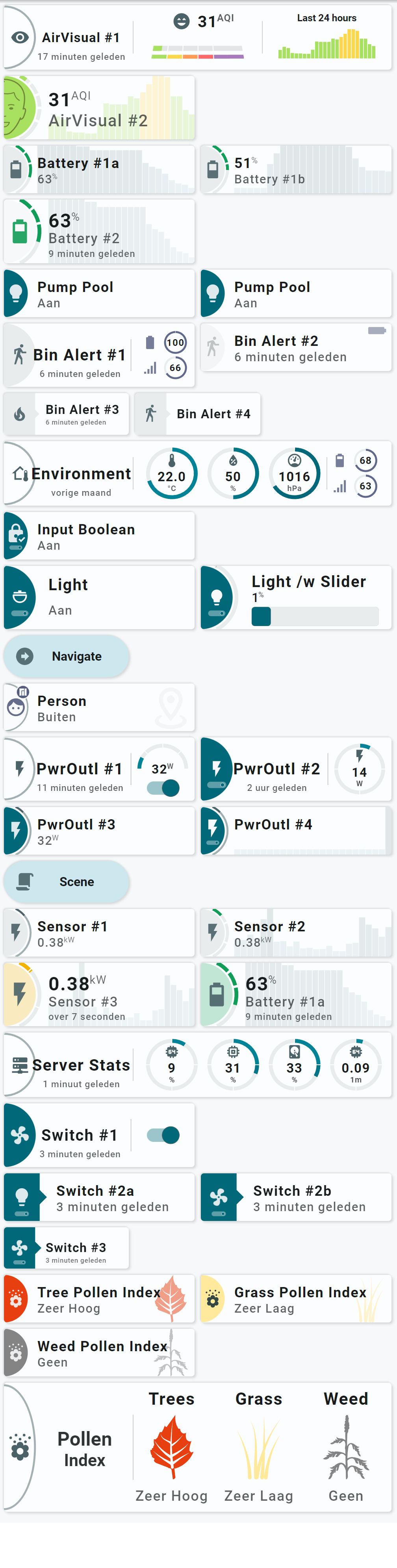
An overview of all the 12 example views from my own installation:
All these examples are available on Github and described in the installation manual. Each example has its own page which describes how to adapt / use them in your own installation.
| Examples... | Examples... |
|---|---|
 |
 |
 |
 |
 |
 |
 |
 |
 |
 |
| Examples using a Light Material 3 Theme... | Examples using a Dark Material 3 Theme.. |
|---|---|
| Example 11: Boiler and Electricity cards | |
 |
 |
| Example 12: Wide cards showing lots of sensors | |
 |
 |