
🎵 VTT Editor Pro v3.1
🚀 Try it online → https://rdtvlokip.github.io/vtt-editor-pro/vtt-editor-pro-v3.1.html
A modern, lightweight, and powerful WebVTT subtitle editor that runs entirely in your browser. No installation, no signup, no cloud dependencies – just one HTML file.
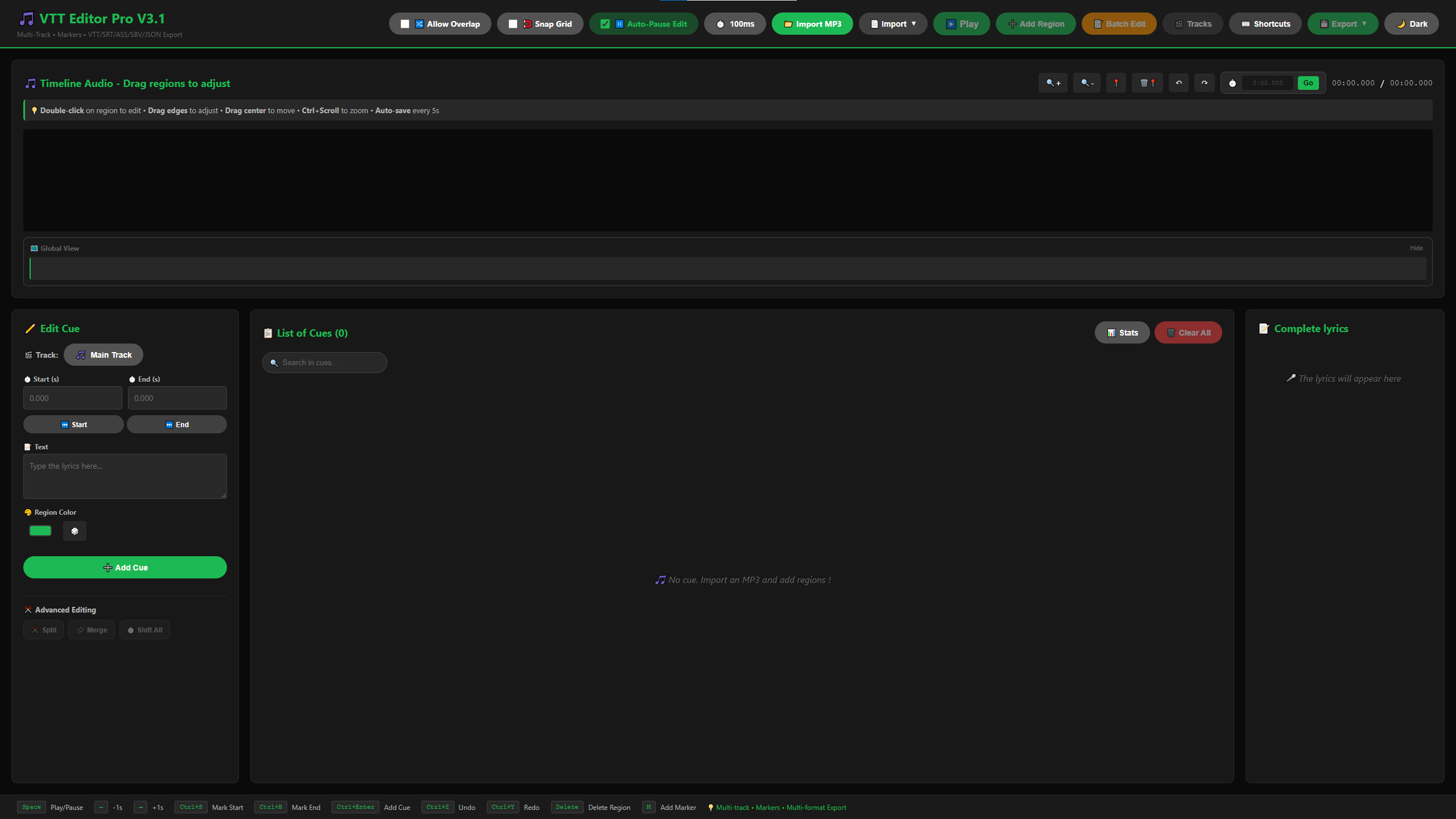
Clean starting point:
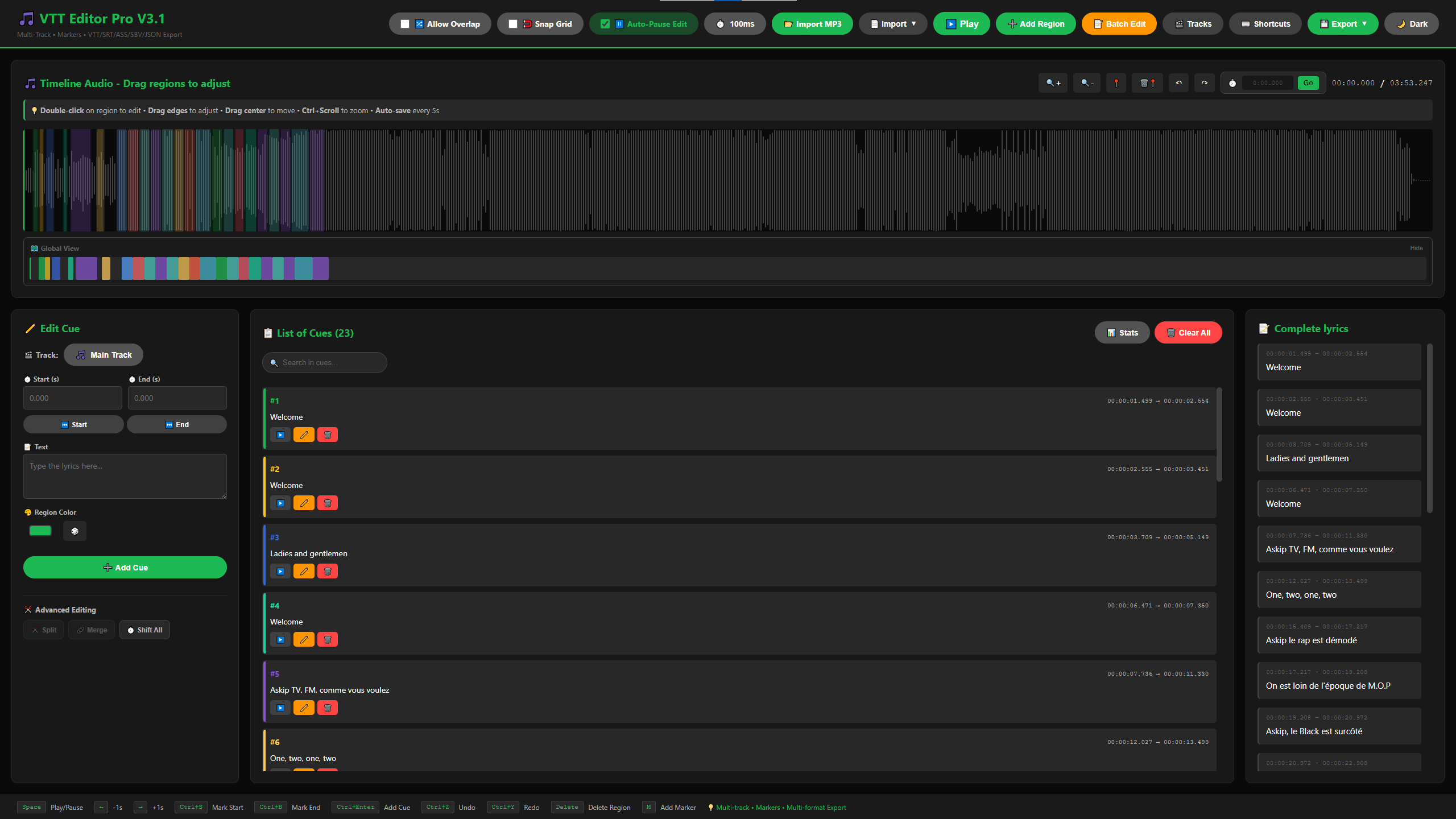
In action with live preview:
✨ Features
🎨 Modern Interface
- Clean, themed UI with 5 color themes
- Color-coded regions for easy organization
- Real-time waveform visualization
- Responsive timeline with zoom controls
- Minimap for global timeline overview
- Enhanced visual resize handles with real-time tooltips
⚡ Powerful Editing
- Drag & Drop: Move and resize regions directly on the timeline
- Visual Resize Handles: See exact timestamps while resizing regions
- Snap-to-Grid: Align regions precisely with configurable intervals (10ms to 1s)
- Split & Merge: Divide cues or combine consecutive ones
- Shift All Timings: Offset all cues by ±X seconds
- Batch Text Editing: Transform multiple cues at once with Find & Replace
- Anti-overlap Enforcement: Optional feature to prevent subtitle collisions
- Live Preview: Scrolling lyrics display synchronized with playback
- Auto-save: Your work is saved every 5 seconds (localStorage)
🎯 Workflow Optimized
- Import MP3/audio files directly
- Import/Export VTT, SRT, ASS, SBV, DFXP, JSON formats
- Real-time cue search and filtering
- Keyboard shortcuts for rapid editing
- Precise timestamp control with snap-to-grid
- Visual waveform for accurate timing
- Undo/Redo with 20-step history
🚀 Technical Highlights
- 7200+ lines of vanilla JavaScript – no frameworks
- ~200 MB RAM usage
- Offline-first: Works without internet connection
- Single file: Just download and open in your browser
- Zero external dependencies (except WaveSurfer.js CDN)
- Support for 1000+ cues and markers without lag
🆕 What's New in v3.1
📋 Copy / Paste Cues
Duplicate a cue in seconds.
Features:
- Copy the selected cue with
Ctrl+C - Paste it at the playhead with
Ctrl+V(keeps text, color and duration) - Overlap-aware: respects the Allow Overlap setting
⏱️ Go to Time
Jump straight to a precise timestamp.
Features:
- Accepts
MM:SS.mmm,HH:MM:SS.mmmor raw seconds - Press
Gto focus the field instantly
⌨️ Customizable Keyboard Shortcuts
Make the editor yours.
Features:
- New
⌨️ Shortcutspanel listing every action - Click a shortcut, then press the new key combo to rebind it
- Duplicate-binding protection and one-click Reset to defaults
- Saved to
localStorageacross sessions
🗂️ Batch Export – All Tracks at Once
Export every track in a single click.
Features:
- New
All Tracks (.zip)entry in the Export menu - Bundles one
.vttper non-empty track into a single.zip - Built-in ZIP writer — no extra dependency, fully offline
🔍 Ctrl + Scroll Zoom
Zoom the waveform naturally with Ctrl + mouse wheel — no more hunting for the zoom buttons.
⏸️ Auto-Pause on Edit
Playback pauses automatically when you start editing a cue, so the audio doesn't run away while you type. Toggle it from the top bar.
📜 Looking for older releases (v3.0, v2.2, v2.1)? See the full CHANGELOG.md.
📦 Installation
Option 1: Direct Download (Recommended)
- Download
vtt-editor-pro-v3.1.html - Double-click to open in your browser
- Start editing!
Option 2: Use Online Version
Visit: https://rdtvlokip.github.io/vtt-editor-pro/vtt-editor-pro-v3.1.html
Option 3: Local Server
# Clone the repository
git clone https://github.com/RDTvlokip/vtt-editor-pro.git
cd vtt-editor-pro

# Open with a local server (optional)
python -m http.server 8000
# Navigate to http://localhost:8000/vtt-editor-pro-v3.1.html
🎯 Quick Start
- Import Audio: Click
📂 Import MP3to load your audio file - Add Regions: Click
➕ Add Regionor drag on the timeline - Enable Snap Grid (optional): Toggle
🧲 Snap Gridand select interval - Edit Text: Type your subtitles in the text field
- Adjust Timing: Drag region edges or use Start/End fields
- Use Search: Find specific cues with the search box
- Check Stats: Click
📊 Statsto view validation - Choose Theme: Select your preferred color theme
- Export: Click
💾 Exportand choose your format
⌨️ Keyboard Shortcuts
💡 All shortcuts are customizable — open the
⌨️ Shortcutspanel to rebind any of them. Defaults below.
| Shortcut | Action |
|---|---|
Space |
Play/Pause audio |
← |
Jump back 1 second |
→ |
Jump forward 1 second |
Ctrl+S |
Mark Start time |
Ctrl+B |
Mark End time |
Ctrl+C |
Copy selected cue |
Ctrl+V |
Paste cue at playhead |
Ctrl+Enter |
Add/Update Cue |
Ctrl+Z |
Undo (20-step history) |
Ctrl+Y |
Redo |
Ctrl+F |
Focus search box |
G |
Focus go-to-time |
M |
Add Marker |
Delete |
Delete selected region |
🖱️ Tip: Hold
Ctrland scroll over the waveform to zoom in/out.
🎨 Usage Tips
Working with Multiple Tracks
- Create new track: Click
🎬 Tracks - Name your track (EN, FR, Music, etc)
- Edit independently
- Export all tracks at once with
💾 Export → 🗂️ All Tracks (.zip) - Merge tracks in final video editor
Using the Validation System
- Click
📊 Statsto open statistics panel - Review validation warnings and errors
- Click on any issue to jump to that cue
- Fix timing or text issues
- Re-check until all green
Efficient Editing Workflow
- Import audio and create rough cues
- Use Shift All Timings to sync with audio
- Use Split Cue for long segments
- Use Merge Cues for fragmented text
- Run validation check
- Export in desired format
Using Search Effectively
- Type in the search box to filter cues
- See highlighted matches
- Click cue to jump and edit
- Clear search to see all cues
📚 Advanced Features
Multi-Track Management
- Independent timelines per track
- Sync control to keep tracks aligned
- Track visibility toggle
- Export flexibility (individual or combined)
Marker System
- Visual bookmarks on waveform
- Custom labels for organization
- Color coding for different marker types
- Quick navigation between markers
- Performance optimized for 1000+ markers
Format Support
| Format | Import | Export | Notes |
|---|---|---|---|
| VTT | ✅ | ✅ | Full WebVTT with color metadata |
| SRT | ✅ | ✅ | SubRip with timing conversion |
| ASS | ✅ | ✅ | Styling stripped on import |
| SBV | ✅ | ✅ | YouTube format |
| DFXP | ✅ | ✅ | TTML/Netflix standard |
| JSON | ✅ | ✅ | Complete project backup |
Auto-save System
- Saves every 5 seconds to
localStorage - Restores on page reload with confirmation prompt
- Works offline – no cloud required
- Clear with browser cache if needed
Undo/Redo System
- 20-step history
- Works with all operations (add, edit, delete, batch, shift, split, merge)
- Keyboard shortcuts:
Ctrl+Z(undo),Ctrl+Y(redo) - Visual button feedback (disabled when at history limit)
🗺️ Roadmap
✅ v2.1 (Released)
- Visual resize handles with tooltips
- Snap-to-grid alignment
- Batch text editing
✅ v2.2 (Released)
- Multi-Track Subtitle Support
- Waveform Markers/Bookmarks
- SRT Export/Import
- Current Time Update
- VTT Import Validation
- Keyboard Shortcut Conflict Resolution
- Waveform Color Update
- Color Persistence in VTT
✅ v3.0 (Released)
- Export to ASS, SBV, DFXP, JSON formats
- Import from ASS, SBV, DFXP, JSON formats
- Theme system (5 themes)
- Advanced editing (Split, Merge, Shift)
- Real-time cue search
- Statistics panel with validation
- Editable markers with labels
- Minimap timeline view
- Enhanced dropdown UI
✅ v3.1 (Released)
- Copy/Paste cues (Ctrl+C / Ctrl+V)
- Go to time – Jump to precise timestamp
- Customizable keyboard shortcuts UI
- Batch export – all tracks at once (single
.zip) - Ctrl+Scroll waveform zoom
- Auto-pause on edit
v3.2 (Planned)
- Loop a region – repeat a segment on loop to nail the timing (highly requested)
- Insert-cue shortcut – add a cue at the current position without using the button
- Video preview – accept MP4 video alongside MP3, with subtitles overlaid on the video
Future Ideas (Under Consideration)
- Whisper API integration for auto-transcription
- Electron app with offline Whisper
- Local model support (tiny/base/small/medium)
- Native FFMPEG integration
- GPU acceleration for faster processing
🤝 Contributing
Contributions are welcome! This project is actively maintained.
How to Contribute
- Fork the repository
- Create a feature branch (
git checkout -b feature/AmazingFeature) - Commit your changes (
git commit -m 'Add AmazingFeature') - Push to the branch (
git push origin feature/AmazingFeature) - Open a Pull Request
Development Guidelines
- Keep it vanilla JS (no frameworks)
- Maintain single-file architecture
- Write clear comments for complex logic
- Test in Chrome, Firefox, and Safari
- Follow existing code style
Reporting Issues
Found a bug or have a suggestion? Open an issue
Please include:
- Browser version
- Steps to reproduce
- Expected vs actual behavior
- Screenshots if applicable
🔧 Technical Details
Architecture
- Single HTML file: All CSS, JS, and HTML in one file (7200+ lines)
- Vanilla JavaScript: No build tools, no frameworks
- WaveSurfer.js v7: Waveform visualization and audio playback
- localStorage: Client-side persistence
Performance
- Load time: <5ms (scripting only)
- Memory usage: ~200 MB (depends on audio file size)
- Max cues tested: 1000+ without performance issues
- Max markers tested: 1000+ without lag
- Audio formats: MP3, WAV, OGG, M4A, AAC
Browser Compatibility
| Browser | Version | Status |
|---|---|---|
| Chrome | 90+ | ✅ Fully supported |
| Firefox | 88+ | ✅ Fully supported |
| Safari | 14+ | ✅ Fully supported |
| Edge | 90+ | ✅ Fully supported |
📄 License
This project is licensed under the Creative Commons Attribution-NonCommercial 4.0 International License (CC BY-NC 4.0) - see the LICENSE.md file for details.
You are free to:
- ✅ Share: Copy and redistribute in any medium or format
- ✅ Adapt: Remix, transform, and build upon the material
Under these terms:
- 📝 Attribution: Give appropriate credit to the original author
- 🚫 NonCommercial: Not for commercial use without permission
Commercial use requires explicit permission. Contact me for licensing inquiries.
🙏 Acknowledgments
- WaveSurfer.js - Audio waveform visualization library
- Inspired by Aegisub, but built for the modern web
- Community feedback from subtitle editors and content creators
👤 Author
RDTvlokip (Théo)
- 🧬 Creator of AG-BPE (Attention-Guided Byte Pair Encoding)
- 🤖 Developer of InfiniGPT model family
- 🎓 TSSR Student specializing in Network Administration
- 🔗 GitHub: @RDTvlokip
☕ Support
If VTT Editor Pro helps you, consider supporting the project:

Your support helps maintain and improve this tool!
📊 Stats


Built with ❤️ using vanilla JavaScript
🐛 Report Bug • ✨ Request Feature • 📖 Documentation
🌟 Star History
If you find this project useful, please consider giving it a ⭐ on GitHub!
Made with passion for subtitle editors worldwide 🌍
No ads • No tracking • No subscriptions • Just pure functionality